


Steam Deck Setup Guide:
1. Download the game from the website.
2. Unzip the folder wherever you would like to store the game on your drive.
3. In the game folder, right click the UDBOLauncher exe and click "Add to Steam".
4. In your Steam library, you should see the game in the list. (Alphabetical by default.)
5. In the game's Properties, click Compatibility and check the box for Force the use of a specific Steam Play compatibility tool.
6. Select Proton Experimental from the list.
7. Back in properties, change the game's resolution to at least 1600 x 900, or the launcher will not display properly.
Notes: This was all I had to do to make the game work for myself, on a Steam Deck OLED system. I did not have to use Protontricks, Winetricks, or any other compatibility tools or mods.
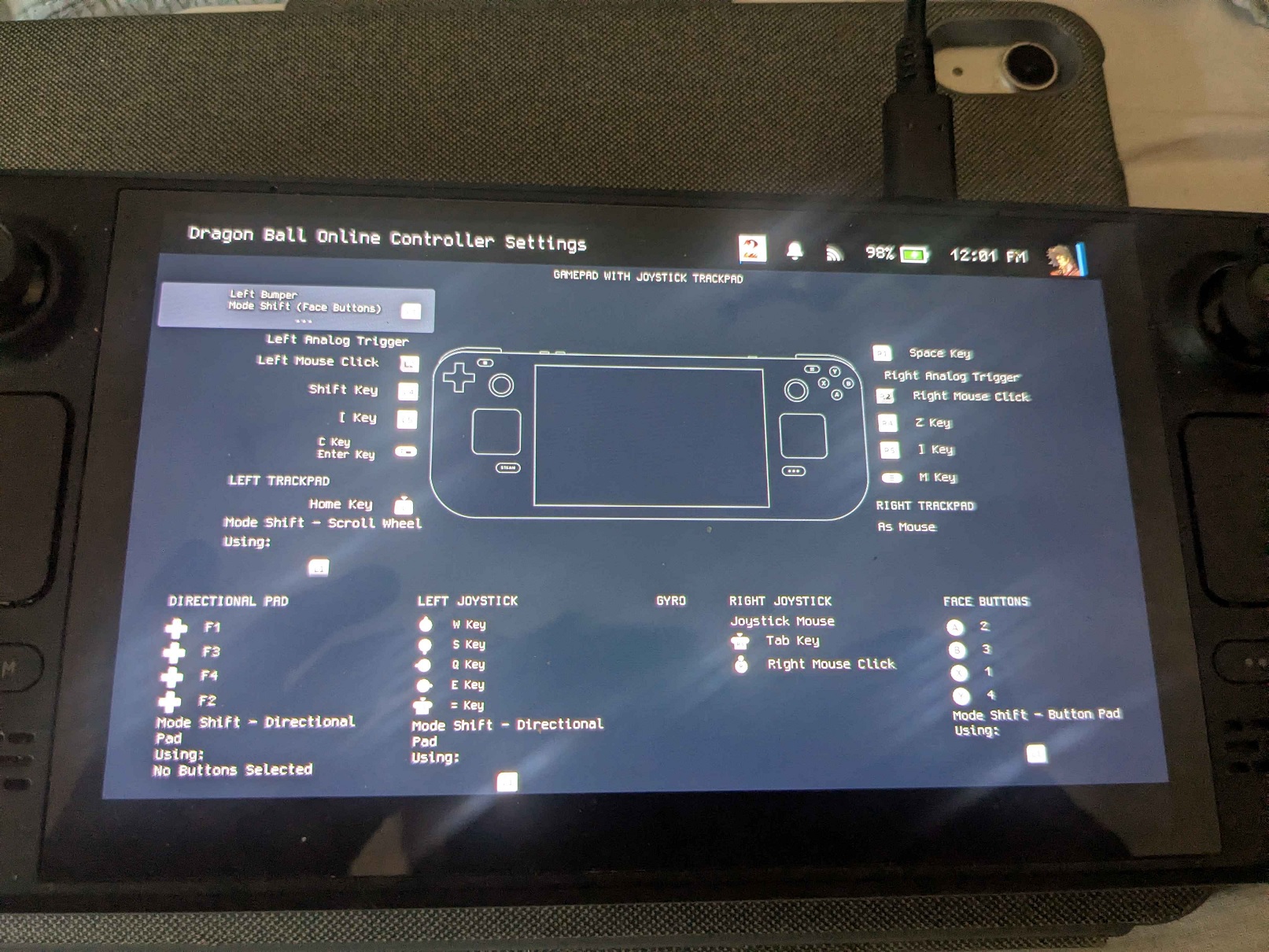
Edit: Here's a mapping you guys can reproduce if it helps!
1. Download the game from the website.
2. Unzip the folder wherever you would like to store the game on your drive.
3. In the game folder, right click the UDBOLauncher exe and click "Add to Steam".
4. In your Steam library, you should see the game in the list. (Alphabetical by default.)
5. In the game's Properties, click Compatibility and check the box for Force the use of a specific Steam Play compatibility tool.
6. Select Proton Experimental from the list.
7. Back in properties, change the game's resolution to at least 1600 x 900, or the launcher will not display properly.
Notes: This was all I had to do to make the game work for myself, on a Steam Deck OLED system. I did not have to use Protontricks, Winetricks, or any other compatibility tools or mods.
Edit: Here's a mapping you guys can reproduce if it helps!
Last edited by a moderator:

