

Download the steam version or original version either should work
once its put in program files and you run the UDBOLauncher app
so I figured it out for any other Asus ROG ally x players it does have to do with resolution only there's not much you can do you use the mouse and look for a sweet spot near the bottom of the screen the mouse will turn from an arrow to a hand simply click and it launches you can't see the start button but its there and i also have my controls also set for it to use with the ROG ally x
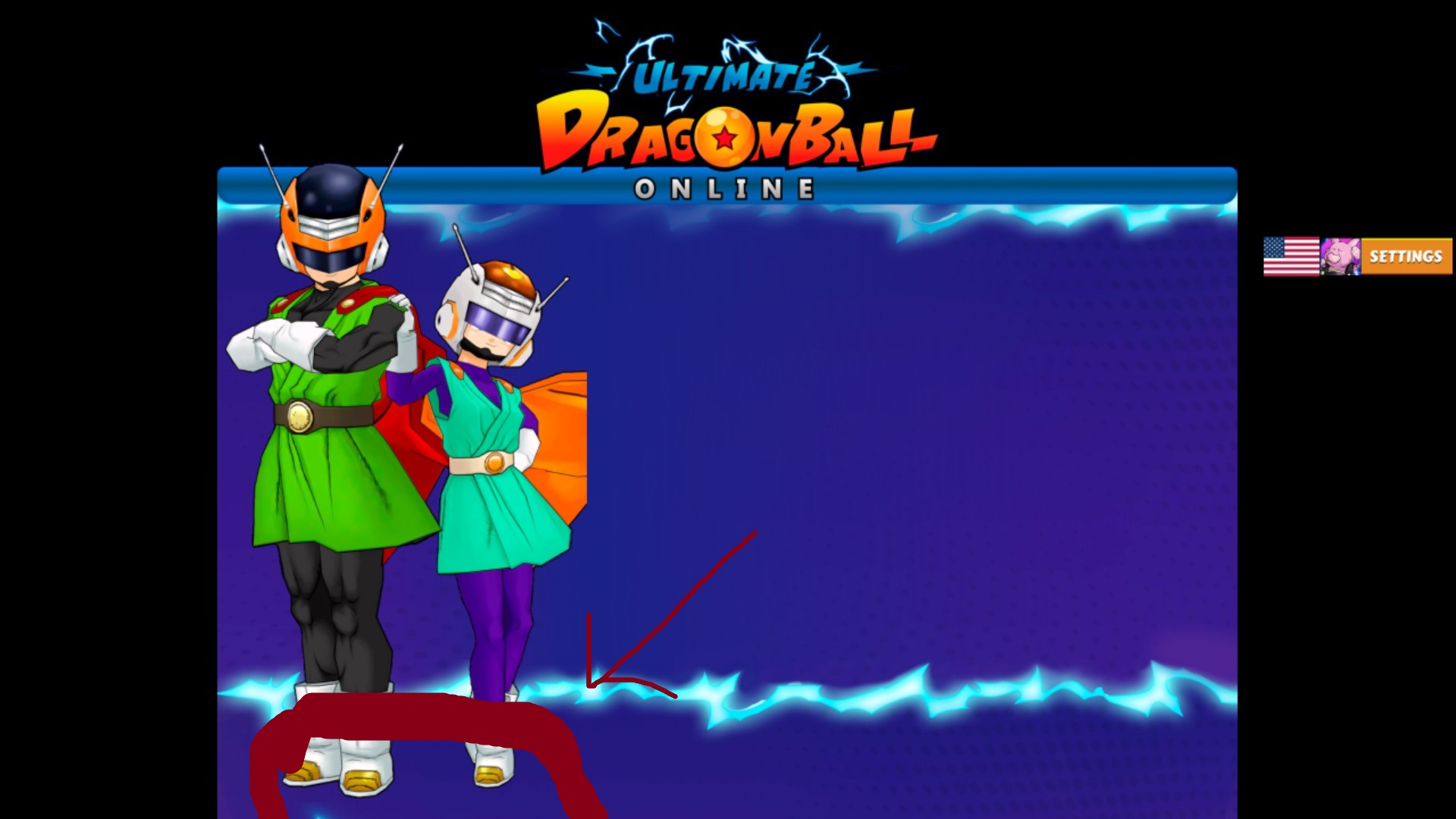
where the RED OUTLINE INSIDE OF IT thats the spot you click the rest of the picture or launcher is cut off but glide the mouse over this area and it turns into a hand just click it and boots up
once its put in program files and you run the UDBOLauncher app
so I figured it out for any other Asus ROG ally x players it does have to do with resolution only there's not much you can do you use the mouse and look for a sweet spot near the bottom of the screen the mouse will turn from an arrow to a hand simply click and it launches you can't see the start button but its there and i also have my controls also set for it to use with the ROG ally x
where the RED OUTLINE INSIDE OF IT thats the spot you click the rest of the picture or launcher is cut off but glide the mouse over this area and it turns into a hand just click it and boots up